Meco Original GPD WIN 8G Restore BIOS System Disk

Instruction: 1 Ensure the battery level is over 50%(In the WINPE Mode,charge current is only 500mA,so you should ensure the battery level before install system) 2 Format the U disk into NTFS,change U disk name to "WINPE" 3 Copy the Extracted file of WINPE folder to the NTFS U disk 4 Insert U disk to GPD WIN 5 Normal shutdown or forced shutdown by pressing the button for 5 seconds,press both DEL button and Power button until following interface appear. 6 Choose UEFL:XXXX,Partition 1 by direction key 7 It takes about 20 min to finish whole installation, and then GPD will auto reboot 8 After rebooting,you will enter the Factory Mode Close this window ,double click to start CleanupTestTool GPD will eliminate OOBE file and Power off 9 You should take care to select your language, the GPD react slowly,so you need to try several times to choose your language
Original GPD WIN 8G Restore BIOS System Disk
€ 8,99Dit product is momenteel niet beschikbaar
Vergelijkbaar product:
Magnetische Wandmontage Draadloze Oplader Wandlaadstopcontact Tablet Magnetische Beugelhouder voor Universele Tablet And Bekijken...
Bekijk alle vergelijkbare producten
| Categorie | Tablet Accessories |
|---|---|
| Merk | Meco |
| EAN/SKU | DD1124658 |
Vroeg een vraag toe
Reviews
Geen reviews gevonden
Gerelateerd

€ 42,08
Magnetische Wandmontage Draadloze Oplader...
Specificaties:Productnaam: Magnetische Wandgemonteerde Draadloze...
€ 8,37
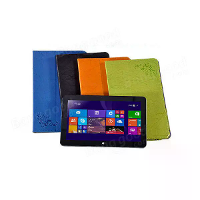
PU Lederen Vouwhoes Voor Cube i10 Tablet
Beschrijving:Compatibel model: Cube i10 10,6 Inch TabletMateriaal:...
€ 14,32
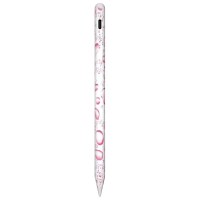
Universele capacitieve stylus magnetische...
Fa1 Compatibel met Apple-tablets vrijgegeven in 2018 of laterFa2...
€ 12,53
Meer vergelijkbare producten...
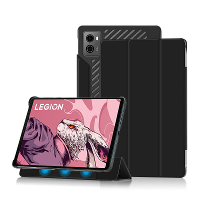
Lenovo LEGION tablet 2023 Beschermhoes 8.8 inch...
Specificaties:Merk: LenovoProductnaam: LEGION Y700 2023 Tablet...