3Pcs RobotDyn® Green LED Tube 4-Digit 7-segments Display Module For Arduino DIY

Feature: This is a basic, 4-digit 7-segment display module The display features double points in midle. The decimal point per digit not active. Module connecting to digital I/O on 2 pins. For Arduino use library: TM1637.h Color: Green Package includes: 3 x Green LED Display Tube Module Example1 /* Clock example example (Extended class example) Display a clock on the display. For this demo you can add a speed multiplier to make the clock run faster. For a real clock you want to use a delay of 1 min or even use a Real Time Clock module (RTC) The circuit: * connect TM1637 pin CLK to Arduino pin D4 * connect TM1637 pin DIO to Arduino pin D5 * connect TM1637 pin Vcc to Arduino pin 5V * connect TM1637 pin GND to Arduino pin GND */ // include the SevenSegmentTM1637 library #include "SevenSegmentTM1637.h" #include "SevenSegmentExtended.h" /* initialize global TM1637 Display object * The constructor takes two arguments, the number of the clock pin and the digital output pin: * SevenSegmentTM1637(byte pinCLK, byte pinDIO); */ const byte PIN_CLK = 4; // define CLK pin (any digital pin) const byte PIN_DIO = 5; // define DIO pin (any digital pin) SevenSegmentExtended display(PIN_CLK, PIN_DIO); const unsigned int clockSpeed = 10000; // speed up clock for demo // run setup code void setup() { Serial.begin(9600); // initializes the Serial connection @ 9600 baud display.begin(); // initializes the display display.setBacklight(100); // set the brightness to 100 % delay(1000); // wait 1000 ms }; // run loop (forever) void loop() { byte hours = 14; // initialize hours byte minutes = 39; // initialize minutes for ( ; hours < 24; hours++) { // count hours up to 24 for ( ; minutes < 60; minutes++) { // count minutes up to 59 display.printTime(hours, minutes, true); // display time delay(60000 / clockSpeed); // clock delay ms }; minutes = 0; // reset minutes }; }; Example2 #include "TM1637.h"; // include the TM1637 library TM1637 display(2, 3); // initialize the library for pins 2, 3 void setup(){ display.init(); // Start display display.set(7); // Setup brightness 0 to 7 int8_t Disp[4]; // Dimension of digits } void loop(){ Disp[0] = 1; // Write digits to dimension Disp[1] = 2; Disp[2] = 3; Disp[3] = 4; display.display(Disp); // Show dimension(digits) to display }
3Pcs RobotDyn® Green LED Tube 4-Digit 7-segments Display Module For Arduino DIY
€ 11,99Dit product is momenteel niet beschikbaar
Vergelijkbaar product:
3St MAX7219 Dot Matrix Module 4-in-1 Display Scherm Geekcreit voor Arduino - producten die werken met officiële Arduino- Bekijken...
Bekijk alle vergelijkbare producten
| Categorie | DennisDeal.com |
|---|---|
| Merk | Arduino |
| EAN/SKU | DD1144434 |
Vroeg een vraag toe
Reviews
Geen reviews gevonden
Gerelateerd
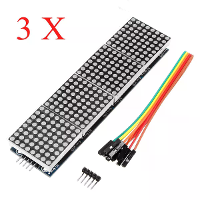
€ 17,92
3St MAX7219 Dot Matrix Module 4-in-1 Display...
Specificaties:Een enkele module kan een 8x8 puntmatrix met...

€ 24,99
Green Elephant Miscanthusstro met tabak - 10kg
Green Elephant Miscanthusstro met tabak - 10kg
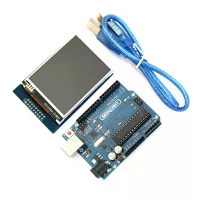
€ 29,57
UNO R3 USB Ontwikkelingsbord met 2,8 inch TFT...
UNO R3 ATmega328P-bord:Beschrijving:De UNO R3-board is 100% compatibel...
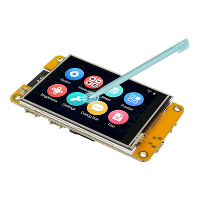
€ 17,02
Meer vergelijkbare producten...
ESP32 MCU 2.8 Inch Slimme Display voor Arduino...
Specificatie:Productnaam: ESP32 MCU 2,8 Inch Slim WeergaveController:...