Turtle Beach Ear Force P11 (white)


The Ear Force P11 integrates premium stereo game sound with crystal-clear communication on the PlayStation Network (PSN) and PC/Mac to create an immersive audio environment for playing popular game titles. The P11 is two headsets in one. A stereo USB headset for chat sound and an amplified stereo headset for game sound. That means you can independently control chat and game sound from a single control box whether youre playing PS3 or PC games. Large, comfortable ear cups with a lightweight, rugged design provide the ultimate in comfort during extended game play. The P11 gives you a significant advantage because you can hear sound cues others cant, so youll react faster and take them out before they take you out. If youre serious about your PS3 gaming, then get serious about the sound. Move up to the Ear Force P11 and become a better player while experiencing your games as they were meant to be heard. Engineered For Gaming: - Amplified Directional Audio: Enhances game sounds for a more immersive experience. - Microphone Monitoring: Lets you hear what youre saying while communicating with others. - Independent Volume Controls: Allows personalized balancing of game and chat sounds. - USB Powered: No batteries required. - Oversized 50mm Speakers: Premium sound from full bandwidth speaker drivers. - Bass Boost : Adds more depth and realism to the game audio. - PC Compatible: Also works with PC games and online chat. Specifications: Headphones: - 50mm diameter speakers. - Speaker Frequency Response: 20Hz - 20kHz, >120dB SPL @ 1kHz. - Condenser Microphone Frequency Response: 50Hz - 15kHz. - Cable length: 12 ft. (3.7m). In-Line Amplifier: - Headphone Amplifier: Stereo DC-coupled, 35mW/ch, THD less than 1%, Frequency Response: DC - 30kHz. - Bass Boost fixed: +6dB @ 50Hz. - Mic mute switch. - Maximum analog input level with volume control on maximum setting: 2Vpp (700mV rms). - 3.5mm plug for line input. Connecting The P11 To A PS3 or PC/MAC: HDMI Video, - Step 1: Connect the (red/white) audio cables from the PS3 AV cable to the P11 splitter cable (red/white). - Step 2: Connect the P11 audio cable (green) to the splitter cable input (green). - Step 3: Insert the P11 USB/Power connector to an open USB port on the PS3 console. - Step 4: Configure PS3 Audio and Chat Settings. Composite Video: - Step 1: Connect the (red/white) audio cables from the PS3 AV cable to the P11 splitter cable (red/white). - Step 2: Connect the P11 audio splitter cable (red/white) to the stereo audio input (red/white) jacks on your TV. You will be able to hear the game audio on the TV as well as the P11. - Step 3: Connect the PS3 audio cable (green) to the splitter cable input (green). - Step 4: Insert the P11 USB/Power connector to an open USB port on the PS3, console. - Step 5: Configure PS3 Audio and Chat Settings. PC or MAC: - Step 1: Connect the P11s green 3.5mm audio plug to the speaker or headphone output of your PC/Mac sound card. - Step 2:Insert the P11s USB/Power connector to an open USB port on your PC/Mac to power the headset/amplifier. When used as a computer gaming headset, the P11 functions as two independent, headsets in one package: Amplified Stereo Headphones: The green 3.5mm plug sends the stereo game signal from the computer sound card to the P11 headphone amplifier so you can hear game sounds, music and other sounds from your computer. The overall volume level is set by the game volume control on the P11 amplifier. USB Stereo Headset: The USB connection is used for mic and chat signals and appears as Turtle Beach USB Headset in Windows and Mac operating systems. This lets you assign the P11 mic and chat in your game software as a USB audio device.
Turtle Beach Ear Force P11 (white)
€ 69,00Dit product is momenteel niet beschikbaar
Vergelijkbaar product:
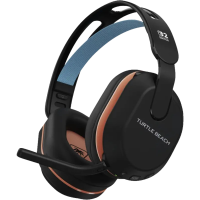
Turtle Beach TUB Rematch WS Minecraft Bekijken...
Bekijk alle vergelijkbare producten
| Categorie | Accessoires |
|---|---|
| Merk | Nedgame.Nl |
| EAN | 0731855022366 |
| EAN/SKU | 0731855022366 |
| Kleur Van Het Product | Wit |
| Hoogte Verpakking | 255 mm |
| Breedte Verpakking | 95 mm |
| Diepte Verpakking | 220 mm |
| Meer details... | |
| Hoofdtelefoon | |
|---|---|
| Positie Speakers Koptelefoon | Circumaural |
| Diameter Van De Luidspreker | 5 cm |
| Frequentiebereik Koptelefoon | 20 - 20000 Hz |
| Akoestisch Systeem | Gesloten |
| Inhoud van de verpakking | |
| Aantal | 1 |
| Leveranciersinformatie | |
| Materiaal | Stof/weefsel, Schuim, Kunstleer |
| Microfoon | |
| Microfoonaansluiting | 3,5 Mm |
| Microphone Direction Type | Omnidirectioneel |
| Poorten & interfaces | |
| 3.5 Mm Connector | Ja |
| Usb-Aansluiting | Ja |
| Connectiviteitstechnologie | Bedraad |
| Prestatie | |
| Producttype | Headset |
| Lengte Snoer | 3,7 m |
| Headset Type | Stereofonisch |
| Kleur Van Het Product | Wit |
| Aanbevolen Gebruik | Gamen |
| Draagwijze | Hoofdband |
| Plug And Play | Ja |
| Verpakking | |
| Hoogte Verpakking | 255 mm |
| Gewicht Verpakking | 629 g |
| Breedte Verpakking | 95 mm |
| Diepte Verpakking | 220 mm |
Vroeg een vraag toe
Reviews
Geen reviews gevonden
Gerelateerd

€ 99,99
Turtle Beach TUB Rematch WS Minecraft
Wij hebben nog geen omschrijving van dit product.

€ 64,99
Turtle Beach TUB Rematch WS Fortnite
Wij hebben nog geen omschrijving van dit product.

€ 129,99
Turtle Beach TUB Vulcan II XP Tactile US Black
Wij hebben nog geen omschrijving van dit product.
€ 89,99
Meer vergelijkbare producten...
Turtle Beach TUB Stealth 500 WS Gaming Headset...
Wij hebben nog geen omschrijving van dit product.